
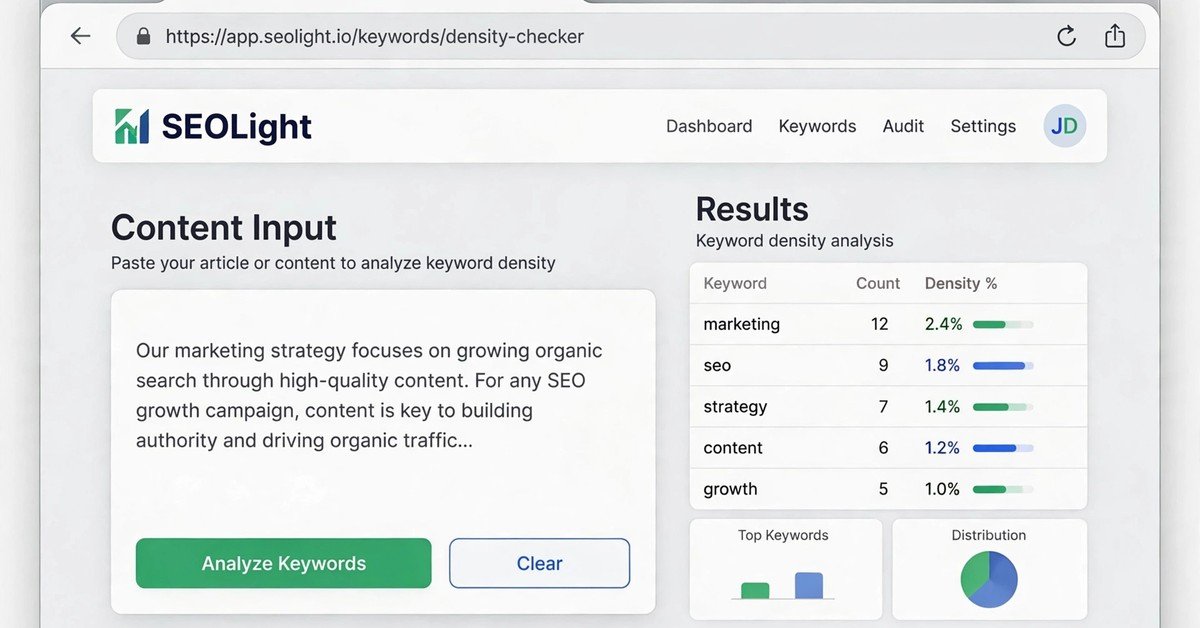
Every content creator has faced the same quiet anxiety before hitting publish: have I used my keyword enough times, or too many? Search engines need clear signals about what a page covers, but stuffing a keyword into every sentence can do more harm than good. Finding the balance between relevance and readability is where a simple, focused utility earns its place. The zuhio keyword count checker is one such tool, a free, browser-based helper that tells you exactly how often your target keyword appears in your content and what share of your total words it represents.
Unlike bulky SEO suites that demand subscriptions and training, this tool does one job and does it quickly. You paste your text, type your keyword, and get your numbers in seconds. This guide explains what the zuhio keyword count checker is, how it works, who benefits most from it, and how to use it as part of a sensible content workflow.
Quick Information
| Detail | Information |
|---|---|
| Tool name | Zuhio Keyword Count Checker |
| Type | Free keyword frequency and density checker |
| Access | Web-based, no account or installation needed |
| Cost | Free |
| What it measures | Keyword count, keyword density percentage, total word count |
| How it works | Paste content, enter keyword, click analyze |
| Best for | Bloggers, freelance writers, small business owners, content marketers |
| Ideal density target | Under 2 percent for most blog content |
| Limitations | Does not check meta descriptions, image alt text, URLs, or backlinks |
What Is the Zuhio Keyword Count Checker?
The zuhio keyword count checker is a free online tool that scans a block of text and reports how many times a specific keyword appears, along with the keyword’s density as a percentage of the total word count. It is a single-purpose micro-tool: there is no dashboard, no subscription, and no learning curve. You open it in your browser, paste your content, enter the term you care about, and receive your results almost instantly.
It is important to understand what the tool is not. It is not a full SEO audit platform. It does not analyze backlinks, check your site’s technical health, suggest related keywords, or pull search volume data. It measures word frequency in the text you give it, and nothing more. That narrow focus is actually its strength. When you want a fast answer to a simple question, a lightweight tool beats a complicated one.
How the Tool Works
The process is deliberately simple and takes less than a minute:
Paste Your Content
Copy your full article or page content and paste it into the tool’s text box. Using your final draft rather than a half-finished paragraph gives the most accurate picture, because density only means something in the context of the complete piece.
Enter Your Main Keyword
Type the exact keyword or phrase you want to analyze. Start with your primary keyword. You can run separate checks for secondary keywords afterward, which is useful when you are tracking a main term alongside supporting phrases.
Click Analyze
One click starts the scan. The tool counts exact matches of your keyword and compares that number against the total word count to calculate density.
Read Your Results
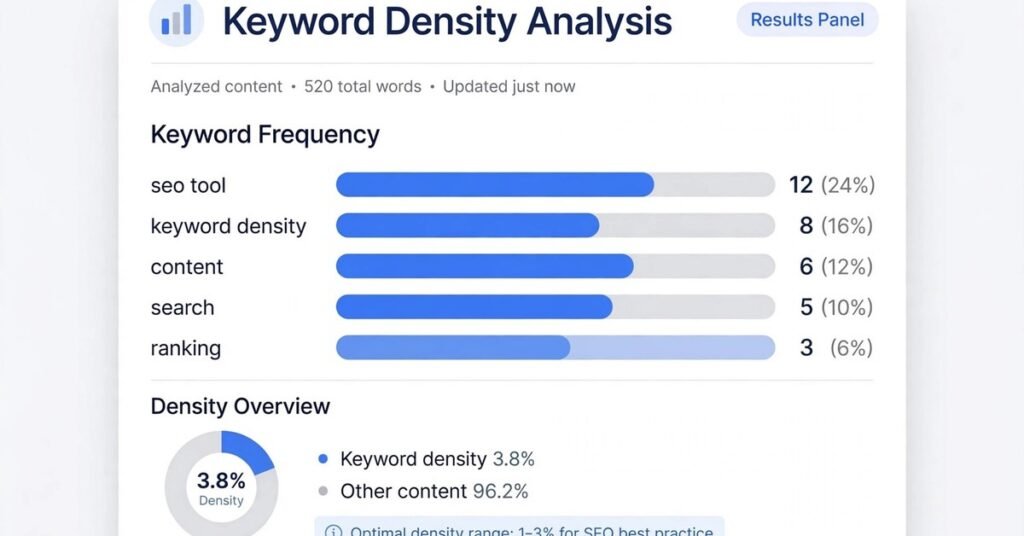
You immediately see three numbers: total word count, keyword frequency, and density percentage. Together they tell you whether your keyword usage looks natural or needs adjustment.
Understanding Keyword Density
Keyword density is the percentage of times your keyword appears relative to all the words in your content. For example, a keyword mentioned 12 times in a 1,000-word article has a density of 1.2 percent. Raw count alone means little without the total: five mentions in a 300-word post is heavy, while five mentions in 3,000 words barely registers.
As a practical guideline, keeping density under 2 percent works well for most blog content. For articles in the 1,200 to 1,500 word range, a keyword appearing roughly 8 to 12 times is a reasonable target. These are rules of thumb, not laws. Natural, helpful writing consistently outperforms mechanical keyword placement, and modern search engines reward content that genuinely matches search intent.
Who Benefits Most From This Tool
The checker is a practical fit for several groups. Freelance writers producing SEO content can run a quick pre-submission check to make sure their draft hits the brief. Blog managers reviewing contributor drafts can verify keyword usage before publishing. Small business owners writing their own website copy get enterprise-style insight without paying for enterprise software. Content marketers running high-volume publishing workflows appreciate a fast, lightweight option that does not slow them down.
It is less useful for technical SEO work, competitive analysis, or content strategy planning. Those tasks need tools with broader data sets and deeper site-level insight.
Best Practices for Using a Keyword Counter
Finish the Draft First
Write your complete article before running any keyword check. Counting mid-draft encourages forced, unnatural phrasing. Let the ideas come first, then refine.
Distribute Naturally
After checking, make sure your keyword placements are spread across the title, the opening paragraph, at least one subheading, and the conclusion. Even distribution reads more naturally than clustering every mention in one section.
Use Variations
Pair your exact keyword with semantic variations and related phrases. This builds topical depth without pushing density into over-optimization territory, and it matches how people actually write and search.
Read It Aloud
After your check, read the content out loud. If any sentence sounds built around the keyword rather than around an actual idea, rewrite it. No counter can replace human judgment about readability.
Remember What It Cannot See
The tool analyzes the text you paste. It does not check your meta description, image alt text, SEO title, or URL slug, so optimize those elements separately as part of your normal publishing checklist.
Limitations to Keep in Mind
Honest expectations make any tool more useful. This checker counts exact matches, so it will not catch every meaningful variation of your phrase unless you check those separately. It cannot tell you whether your content matches search intent, whether your structure is sound, or whether your topic coverage is thin. Think of it as a refinement aid for good drafts, not a rescue device for weak ones. Strong content with sensible keyword usage will always beat perfectly counted keywords wrapped around thin ideas.
Frequently Asked Questions
Is the zuhio keyword count checker free?
Yes, it is free to use in your browser with no account or installation required.
What does keyword density mean?
It is the percentage of total words in your content that match your target keyword.
What is a good keyword density?
Under 2 percent is a sensible target for most blog posts, with roughly 8 to 12 mentions in a 1,200 to 1,500 word article.
Can it check multiple keywords?
You can check keywords one at a time, running separate analyses for your main and secondary terms.
Does it replace an SEO suite?
No. It handles frequency and density only. Technical audits, backlinks, and keyword research need fuller tools.