
UploadWords USA: Free Word Counter, Keyword & Word Cloud Tool
Introduction
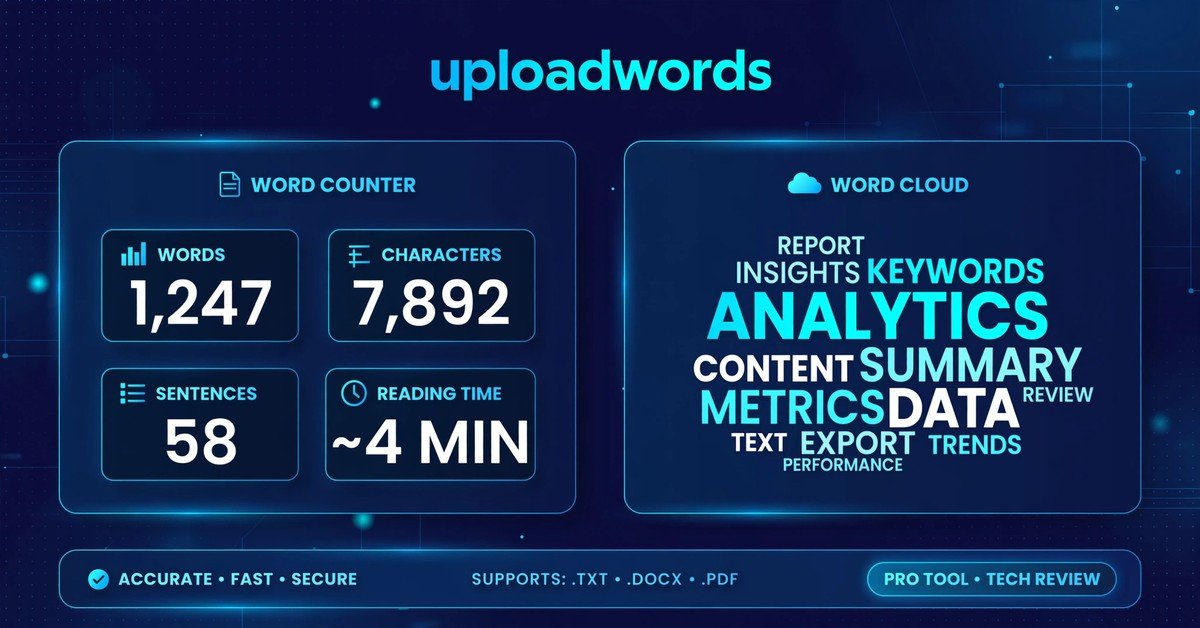
UploadWords USA is a free, browser-based text analysis tool that gives writers, students, and marketers instant insights into any piece of writing. Instead of guessing how long a draft is or how often a word repeats, you paste your text — or upload a text file — and the tool returns word count, character count, top keywords, and a visual word cloud in seconds. There is no signup, no subscription, and no software to install. Everything runs in the browser, which makes it a fast, privacy-friendly option for anyone who works with words every day. Whether you are checking an essay before submission, cleaning up a blog draft for search engines, or preparing a report, UploadWords gives you clear, practical data about your text.
| Detail | Information |
|---|---|
| Website | UploadWords.com |
| Main purpose | Text analysis and word-count checks |
| Cost | Completely free to use |
| Signup required | No |
| Core outputs | Word count, character count, top keywords, word cloud |
| Typical users | Students, writers, bloggers, marketers, SEO professionals |
| Text input | Paste text or upload a supported text file |
| Export options | Copy results, download word cloud as PNG |
| Availability | Online for users in the United States and internationally |
| Privacy | Text is processed in the browser and not published publicly |
What Is UploadWords?
UploadWords is an online toolkit that analyzes written text. Users paste content into its editor or upload a supported text file, then review basic statistics and visual information about that content. The tool is different from a word processor: a word processor is used to compose, format, and edit documents, while UploadWords focuses on examining existing text and presenting quick measurements that help the user revise or understand it.
The platform positions itself as a simple, privacy-focused option for people who want practical text data without subscriptions, account creation, or complex dashboards. It is intended for students, writers, and marketers who need quick analysis and content clarity. For United States-based content creators, it can be useful when preparing SEO writing, social media content, email marketing, academic tasks, product listings, or client reports.
Key Features of UploadWords
Word and Character Count
Word counting is one of the most basic forms of text analysis, yet it remains useful in many situations. Students often receive assignments with minimum or maximum word limits. Editors may need to shorten a draft to fit publication requirements. Social media managers may work within platform-specific character limits. Business professionals may need to produce summaries with a fixed length.
A word-counting tool gives users an immediate measurement without requiring them to count manually. Character counting provides a more detailed view because spaces, punctuation, and individual letters can affect whether text fits a required format. However, different tools may count certain items differently — hyphenated words, numbers, web addresses, and contractions do not always produce identical results across every application. For high-stakes submissions, users should compare the result with the rules provided by their school, publisher, employer, or submission platform.
Top Keywords and Keyword Frequency
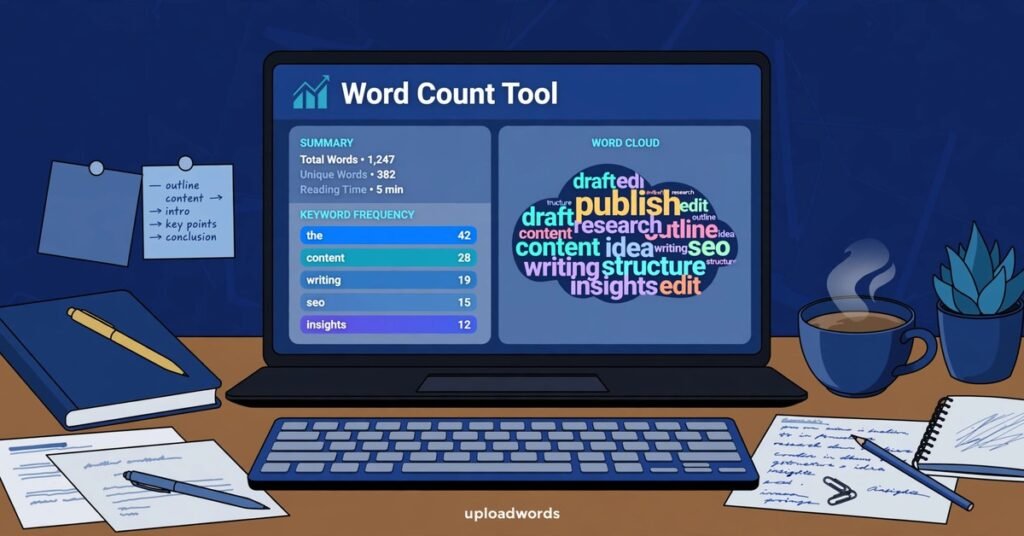
One of the most useful outputs of UploadWords is its top keywords list. Keyword frequency means how many times a word appears in your text, and frequency matters because it helps answer practical questions quickly:
– Is my main topic obvious? – Did I mention the key term enough to make the article focused? – Am I repeating the same word so often that it sounds unnatural? – Did I accidentally shift the topic in the middle?
Keyword frequency is not the same as keyword stuffing. The goal is not to repeat the same phrase again and again. The goal is to create content that is clearly about one topic, with natural supporting terms. A quick tip: top keyword results work best when you remove stop words and set a minimum word length, so the list shows meaningful topic words instead of “the,” “and,” and “to.”
Word Cloud Visualization
The word cloud is a quick visual summary of the text. Bigger words mean higher frequency. It is useful for spotting the dominant topic at a glance. Users can preview the cloud and, where supported, download it as a PNG image for use in reports, presentations, or classroom materials.
Export and Copy Options
UploadWords lets users copy their results or export them for reports. This makes it easy to keep a record of the analysis, share statistics with a client or teacher, or attach the word cloud image to a presentation.
How UploadWords Works
Step 1: Paste or Upload
Add text by pasting it directly into the editor, or upload a supported text file. The site describes file-upload functionality in its tool materials, with TXT files up to 4 MB supported.
Step 2: Analyze
Get word count, character count, and top keywords instantly. The tool processes everything quickly in the browser.
Step 3: Review and Export
Check the statistics, preview the word cloud, then copy the results or download the cloud image as needed.
Who Uses UploadWords?
Different people benefit from text analysis in different ways.
Students
Students may verify assignment length before submitting coursework. Checking word count, sentences, and reading time helps them hit the essay limit exactly.
Teachers
Educators can create classroom activities using keyword lists or word clouds, making abstract ideas about vocabulary and repetition visible and engaging.
Writers and Bloggers
Writers can spot the words they lean on too hard — the cloud shows repetition at a glance. Bloggers can review drafts for repetitive wording before publishing.
Marketers and SEO Professionals
Marketers can clean content for SEO and see keyword density before a page goes live. For content creators preparing writing for search engines, checking keyword frequency helps match search intent.
Researchers and Businesses
Researchers may perform an initial review of interview notes or qualitative data. Organizations can summarize customer feedback or meeting notes more efficiently.
Advantages of a Browser-Based Text Tool
UploadWords follows the broader digital productivity trend of cloud-based and browser-accessible solutions. Instead of depending entirely on desktop software, many users now complete everyday tasks online. The advantages of this approach include:
– Faster access with no waiting for software to load – No software installation required – Compatibility across multiple devices, including mobile phones – Easy sharing of results – A simple interface that anyone can use
This approach supports students, professionals, and occasional users alike, making text analysis available to anyone with an internet connection.
UploadWords and Privacy
Privacy is one of the platform’s selling points. Everything runs in the browser, and the site states that pasted text is not stored, shared, or published publicly. Because analysis happens locally rather than on a remote server, the user’s writing stays on their own device. Still, as with any online tool, users should avoid entering highly sensitive information.
Tips for Getting the Best Results
– Remove common stop words before reviewing the keyword list so filler words do not crowd out the meaningful terms. – Set a minimum word length to focus the analysis on substantial words. – Compare the top keywords against your intended topic — if they do not match, the draft may need a stronger focus. – Use the word cloud as a fast sanity check: the biggest words should reflect what the piece is really about. – For formal submissions, double-check counting rules, since hyphenated words and numbers can be counted differently by different tools.
Frequently Asked Questions
Is UploadWords free?
Yes, UploadWords is completely free to use.
Do I need to create an account?
No. There is no signup and no account creation required.
What can I upload?
You can paste any text directly. The site also describes support for uploading TXT files.
Can I use it on mobile?
Yes, the tool is mobile-friendly and works across multiple devices.
Does the tool store my text?
No. The site states that text is not stored or shared, and everything runs in the browser.
Final Thoughts
UploadWords is a straightforward, free text-analysis tool that delivers exactly what it promises: fast word counts, character counts, keyword frequency data, and a word cloud, all without signup or cost. Its browser-based design keeps things private and accessible on any device, and its simple three-step workflow — paste or upload, analyze, export — makes it easy for students, writers, marketers, and professionals to get useful insights from any text. For anyone in the United States or anywhere else who works with words regularly, it is a handy addition to the digital toolbox.